Invite-only beta

Networking OS

Your job search runs on people. Networking OS tells you who to reach out to next, writes the first draft, and remembers every conversation so no good connection goes cold.

Request an invite
  • Up to five people per slate, picked for your goal
  • Drafts you review and send yourself
  • Follow-ups before anyone goes quiet
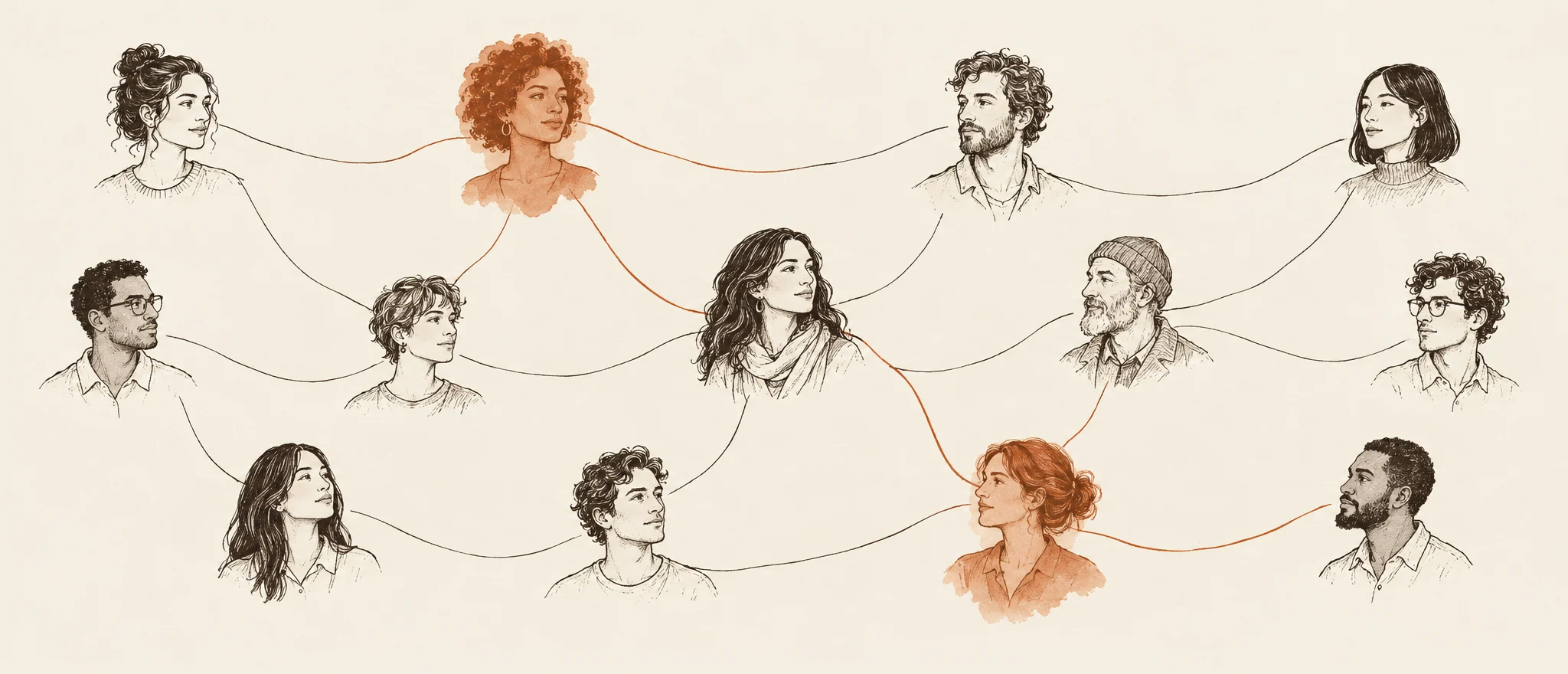
Hand-drawn portraits of people joined by thin threads, with two people and the path between them marked in terracotta.

Why I built this

Networking is how most jobs actually happen, but most of us run it on vibes. We don't know who to talk to next, we agonize over the first message, we forget what we talked about, and good relationships die from missed follow-ups. LinkedIn is a directory and spreadsheets remember nothing, so I built the thing I wanted: one place that knows my goal, tells me who to reach out to, and drafts the message for me to send myself.

Who it's for

Students and early-career job seekers networking toward something specific.

  • A referral at a company you love
  • A move into a new field
  • A mentor who has done what you want to do
What it does

From “who do I even message?” to “coffee on Thursday”

Know who to talk to next

A slate of up to five people

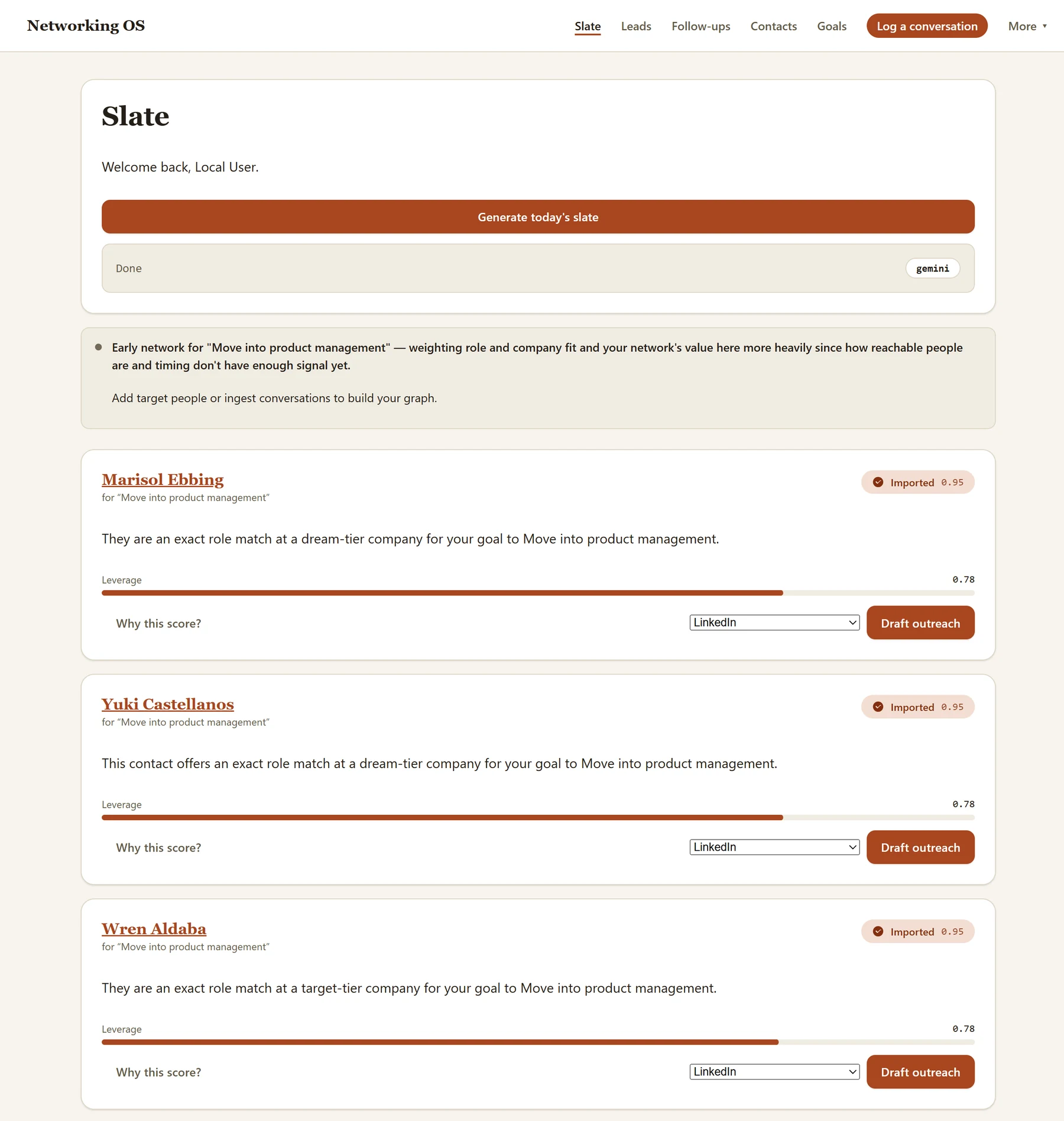
Ranked for your goal, each with a one-line reason and a “Why this score?” breakdown of goal fit, reachability, timing and network value. If there aren't five good fits, it shows fewer and tells you why instead of padding the list.
Warm intros

When someone you know can connect you to someone you want to meet, it tells you who to ask.

New people, found for you

Run discovery for a goal and it searches the public web for people who fit, each with the quote and source link that put them there. Anyone it can't verify waits for you to confirm before they reach your slate.

More than one goal

Chasing referrals and mentors at the same time? Every goal gets its turn on the slate.

Reach out without the blank page

Drafts written from your story

Each one uses your goal, your background, what you can offer, and what's known about the person.

No stale facts

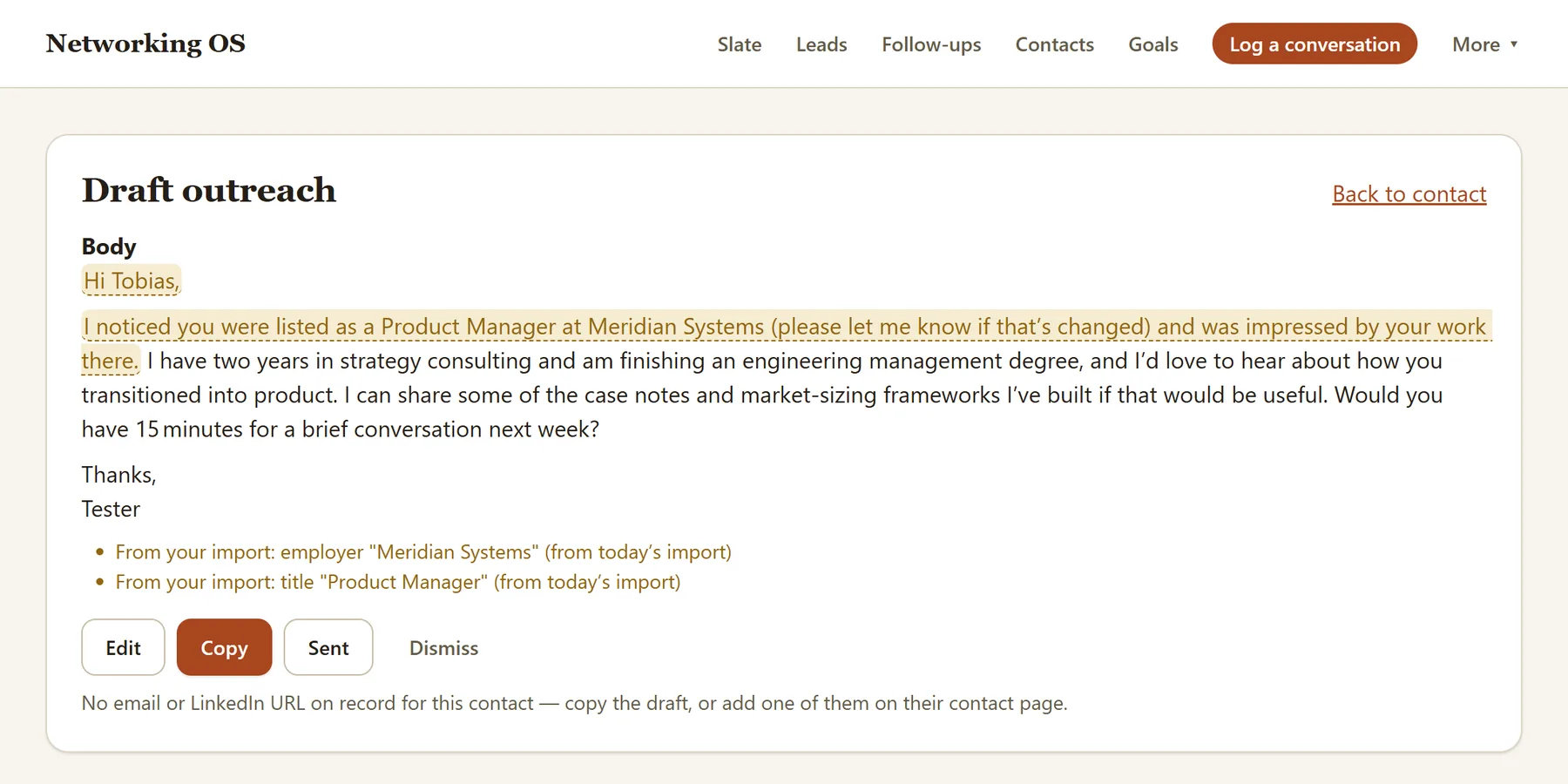
Anything that came from your LinkedIn import, like someone's employer or title, is highlighted with how old it is. So you don't congratulate someone on a job they left last year.

You hit send

Copy it, open it in your email, or jump to their profile. Mark it sent and it's logged on their timeline.

Follow-ups that pick up where you left off

A follow-up draft starts from your last conversation with that person: what you took away, what you promised, and what you talked about.

A draft outreach message. The sentence naming the contact's employer and title is highlighted and hedged, and two notes below it say those facts came from your import.
A real draft, with made-up contacts. The highlighted sentence leans on imported facts, so it's hedged.

Remember everything, follow up on time

Log a conversation in seconds

Paste your notes or a transcript, drop in a .txt, .vtt or .srt file, or upload a voice memo up to 25MB. It pulls out takeaways, action items, people who came up and follow-ups with dates, and you review all of it before anything is saved.

Follow-ups that find you

One page lists what you promised and who's going quiet, with a draft one click away. An optional daily email reminds you when something's due.

A real relationship history

Every contact gets a timeline, a relationship stage and a quick fix for when their role or company changes.

Clip people from a page

Paste text from a profile or an alumni directory and it becomes a contact, without retyping a thing.

On the way

Coming soon

Your network as a map

See who you know, and the paths from you to the people you want to meet.

Coming soon

Your data, your way

Export everything, or export or delete everything about one person, transcripts included.

Coming soon

Your networking, measured

How many suggestions you act on, how fast you follow up, how many relationships move forward, and how many goal-related conversations you have each month.

Coming soon

Fathom sync

Meetings you record in Fathom come straight in. Pasting a Fathom transcript already works.

Getting started

From a LinkedIn export to your next message

  1. Sign in with a link

    No password to remember. Enter your email and the link it sends gets you in.

  2. Tell it about you

    Your background, what you can offer in return, and where you are in your career. Every draft starts from this.

  3. Bring your network

    Upload the .zip from LinkedIn's data export and your connections become your tracker without typing a single row.

  4. Pick a goal, get your slate

    Choose what you're networking for, add five to ten people you already want to meet, and generate your first slate.

The Slate screen for the goal 'Move into product management': the first two suggested people, each with a one-line reason, a leverage bar and a Draft outreach button.
A real slate, shown here with made-up contacts.
How it behaves

Built on a few rules

It shows its work

Every suggestion comes with its reason, and every person it finds comes with the quote that put them there.

No made-up people

Every person carries a badge saying where they came from: your import, you, or the public web.

AI writes, it doesn't rank

A deterministic scorer decides the order. AI only writes the drafts and the one-line reasons.

Old facts never pass as new

A job title known only from your import is hedged in a draft, never stated as someone's current role.

This app never touches your LinkedIn account

It never asks for your LinkedIn password, never logs in as you, and never automates anything against your account. It only reads the export file you choose to upload.

Nothing goes to your contacts on its own

Every draft is written for your review. You copy it or open it in your own email, and you send it yourself.

No analytics scripts

No third-party analytics and no tracking pixels, here or in the app. The only usage numbers come from the app's own tables, like how many suggestions you acted on and a cost log of AI calls, and none of it goes to an analytics company. Server errors go to an error tracker (Sentry) with emails and login links scrubbed out.

Delete everything yourself

You can delete your account and everything in it from the privacy page. There's no undo.

Read the full privacy notice

How it's built

For the technical readers

Stack
Built solo in TypeScript, with a Fastify API, a React front end, and Postgres.
Ranking
Rankings come from a deterministic scorer. AI only writes the drafts and the one-line reasons. It never decides who ranks first.
AI models
It runs on Anthropic's Claude, which doesn't train on what it's sent, with free-tier models as the fallback when a call fails or hits a limit.
Isolation
Every database call is scoped to the signed-in user, and a two-user isolation test checks it.
Questions

Good to know

Is it free?

Yes, during the beta.

Will it message anyone for me?

No. The only emails it sends go to you: your sign-in link, and a daily reminder email you can switch off in Settings.

Do I need a LinkedIn export?

It's the fastest way to start, since your connections come in all at once. You can also skip it and add people by hand, or clip them from a page.

What happens to my recordings?

A recording you upload is transcribed and not kept. Only the transcript and what was pulled out of it are stored.

Can I delete my data?

Yes. You can delete your account and everything in it from the privacy page, any time.

How do I get in?

It's a small, invite-only beta for now. Request an invite and tell me a little about what you're networking for.

An early, invite-only beta

A handful of testers are using it to help shape the product before a wider release.